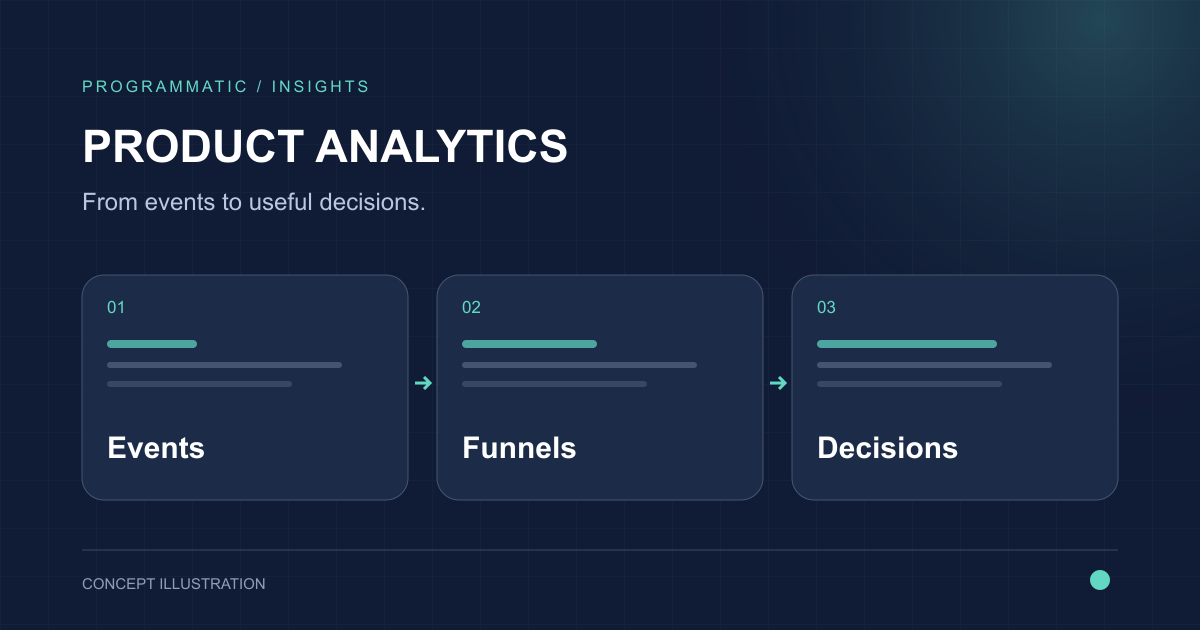
Mixpanel can make product behavior visible quickly, but scaling product analytics is not a matter of sending more events into a dashboard. The durable work is building a measurement system that product, growth, customer success, and leadership can interpret the same way. That means clear event definitions, stable identity, useful properties, governed metrics, and a regular operating rhythm for turning analysis into product decisions.
What Mixpanel is built to measure
Mixpanel is most useful when the questions are about what people and accounts actually do inside a product: which actions lead to activation, where a workflow breaks, which behaviors correlate with retention, and how usage differs by plan, company, channel, or cohort.
That makes product analytics different from a conventional page-view reporting setup. The core unit is usually an event with useful properties and a reliable identity, not simply a URL visit.
- Activation and onboarding behavior
- Feature adoption and repeated use
- Conversion through multi-step workflows
- Retention by cohort or segment
- Account-level usage for B2B SaaS
Design the event taxonomy before the dashboard
The tracking plan is the foundation. Instrument the actions that represent meaningful product behavior and give each event a definition that another team could understand without asking the original implementer.
A stable taxonomy usually scales better than a large collection of UI-specific events. Product interfaces change frequently; business concepts such as workspace created, report exported, integration connected, or invite accepted tend to survive those redesigns.
- Use consistent verb-and-object event names
- Document when each event fires
- Define required and optional properties
- Assign ownership for critical events
- Deprecate obsolete events instead of silently reusing them
Use funnels to find friction, not just conversion rates
Funnels are useful when each step represents a real progression in the user journey. A sign-up funnel might show acquisition quality, while a workflow funnel can show whether users reach the action that creates product value.
The important analysis starts after the overall rate is visible. Break the funnel down by plan, device, source, company size, role, release version, or another relevant property. That is often where the actionable difference appears.
Pair activation analysis with retention
A higher activation rate is not automatically a better product outcome. Teams also need to know whether the behavior that defines activation is associated with continued use.
Retention cohorts help test that assumption. Compare users or accounts that reached a meaningful milestone with those that did not, and examine whether the difference persists over the time horizon that makes sense for the product's natural usage cycle.
Use session replay to add context to quantitative signals
Event data can show that users abandon a step, but it may not explain why. Session replay can add behavioral context around selected workflows, especially when combined with a known funnel drop-off or error condition.
Replay should be treated as a targeted diagnostic tool rather than a substitute for structured events. Privacy controls, masking, access permissions, and data-retention decisions also need to be considered before teams make replay broadly available.
Model accounts as well as users in B2B SaaS
A user-centric view can hide the commercial reality of B2B products. Several users may belong to one customer account, and the health of that account can depend on breadth of adoption, depth of usage, role mix, integrations, or repeated use of a core workflow.
Account or group analytics lets teams ask questions such as which organizations have activated, which plans adopt a feature, whether usage is concentrated in one champion, and whether expansion accounts behave differently from churn-risk accounts.
- Keep stable account identifiers
- Attach useful plan and segment properties
- Separate user-level and account-level milestones
- Avoid putting sensitive business data into analytics without a clear need
Connect warehouse and backend data carefully
Some of the most useful product dimensions live outside the client application: subscription status, account tier, CRM stage, support history, billing events, experiment assignment, or backend process completion.
Connecting governed backend or warehouse data can make product analysis much richer, but it also creates identity, freshness, lineage, and ownership questions. Decide which system is authoritative for each property and document how updates propagate.
Give teams self-serve analysis without losing metric governance
Self-serve product analytics works only when people share the same definitions. If activation, active account, retained user, or successful workflow means something different in every board, faster analysis simply produces faster disagreement.
Governed reports, saved definitions, clear descriptions, and a review process for important metrics allow more people to explore data while preserving a common analytical language. AI-assisted analysis can accelerate exploration, but it still depends on trustworthy source events and definitions.
Build a SaaS product metric system, not a dashboard collection
A useful measurement system connects product behavior to a small number of operating questions. Teams should be able to move from an outcome metric to the behaviors that influence it, then to the segments and journeys that explain a change.
For many SaaS products, that means a layered model covering acquisition quality, activation, engagement, retention, account adoption, monetization context, and reliability of critical workflows.
- Define the product's value event or value sequence
- Choose an activation definition that can be tested against retention
- Track adoption for strategic features
- Measure retention on a cadence that matches natural usage
- Add account and commercial context where it changes decisions
Create an analytics operating rhythm
Instrumentation quality declines when analytics is treated as a one-off implementation project. Product changes introduce new events, old properties become ambiguous, and important flows move between frontend and backend systems.
Include analytics in normal product delivery: review the tracking plan with feature work, validate critical events before release, monitor data quality, and periodically remove or archive definitions that no longer represent the product.
Use experiments to connect changes to outcomes
When a team changes onboarding, pricing presentation, navigation, or a core workflow, experimentation can help separate correlation from the effect of the change itself. The measurement plan should be defined before the experiment starts, including the primary outcome and important guardrail metrics.
Feature flags and experiments are most useful when assignment data and product behavior share reliable identities and when teams avoid declaring success from whichever metric happened to move.
Know where Mixpanel needs supporting systems
Mixpanel is a product analytics layer, not a replacement for a data warehouse, operational database, CRM, billing platform, or company-wide semantic layer. Mature teams usually combine it with those systems rather than forcing every analytical use case into one tool.
The right boundary depends on the question. Product exploration can live close to events; audited finance reporting, complex cross-domain models, and long-term governed datasets may belong elsewhere.
A practical rollout sequence
Start with one critical journey and a small set of questions, then expand after the data proves trustworthy. A disciplined rollout produces fewer events at the beginning but much more usable analysis later.
- Choose one product journey and define the decisions it should inform
- Create the event, identity, and property specification
- Implement and validate events across representative users
- Build activation, funnel, retention, and segment views
- Review findings with product and business owners
- Add account context, warehouse data, replay, and experimentation where they answer a specific question
- Revisit the tracking plan as the product changes